
See how your computer is doing, at a glance
How busy it is, how much memory it’s using, the volume and what’s playing — live on your phone.
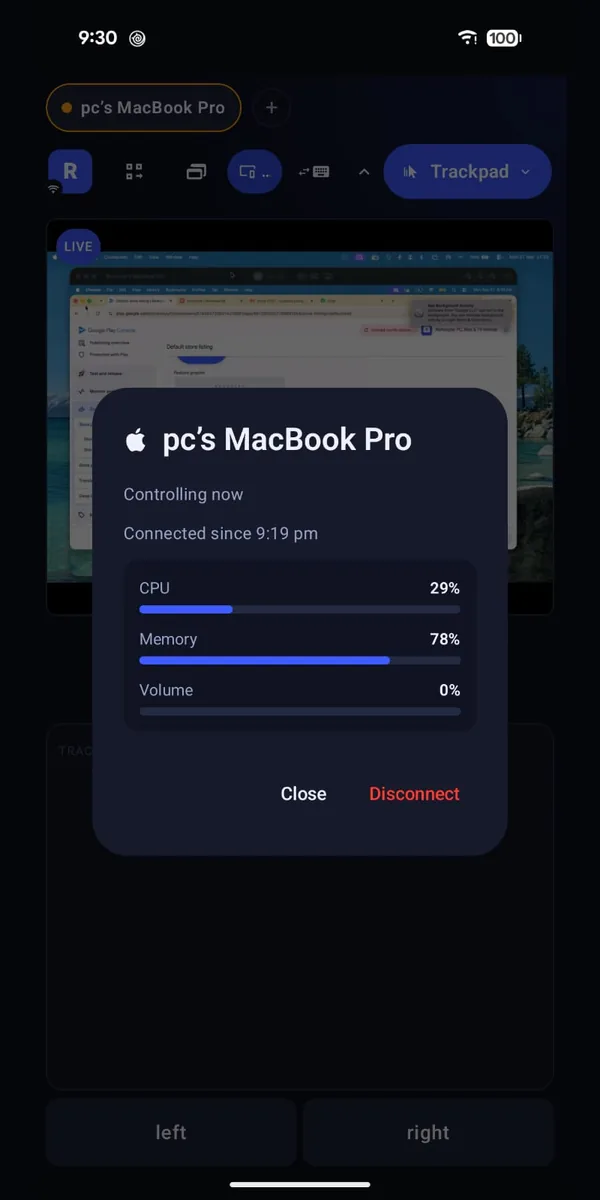
Is it still working, or has it frozen? A quick look at your phone tells you, without walking over.
What you can do
How busy it is
See at a glance whether your computer is working hard.
Memory in use
Spot when it’s running low.
Volume and what’s playing
Know what’s on before you press play.
How to start
- Install Remotype Host on your Mac or Windows computer and connect.
- Tap your computer’s name to see how it’s doing.
Worth knowing
- Needs Remotype Host on a Mac or Windows computer. Not available on Linux.
Good for
- A big export running in the other room — is it still going?
- The fans just got loud. Now you know why.
Goes well with
Try it
Keyboard and trackpad are free forever. Everything else is free for 14 days, then 30 minutes a month — or $4.99 a month, $39.99 a year, or $99.99 once.